

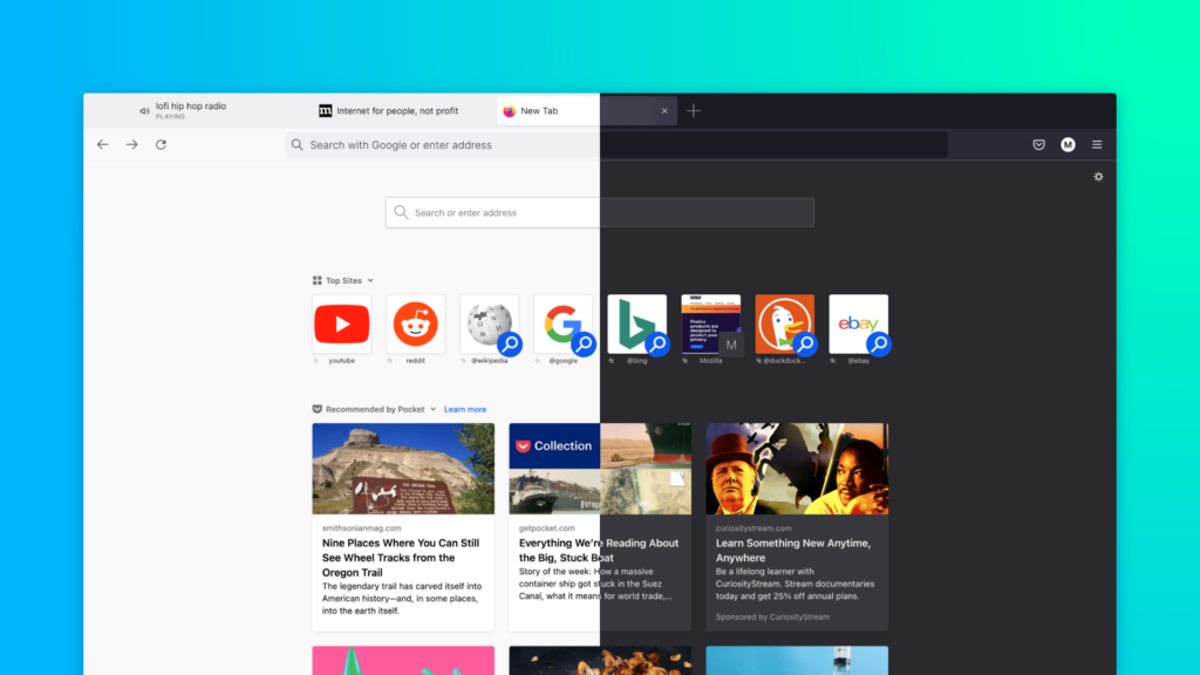
The Biggest Changes in Firefox 89
Image: Mozilla Image: MozillaThe recent Firefox 89 update overhauls the browser’s desktop interface and introduces several welcome quality of life tweaks and expanded data privacy protections. To help you with the transition, we’ll go over all the updates in Firefox 89 you need to know about. To try these new features yourself, install the latest Firefox update by going to Settings > General > Firefox Updates > Check for updates on desktop, or you can download the latest installer from the official Firefox downloads page. Open tabs now “float” about the URL bar, each one its own individual rectangle. Other UI changes in Firefox 89Mozilla has also streamlined Firefox’s main toolbar.
Source: The Nation June 03, 2021 21:33 UTC